
How to Add a Second Location to Google My Business
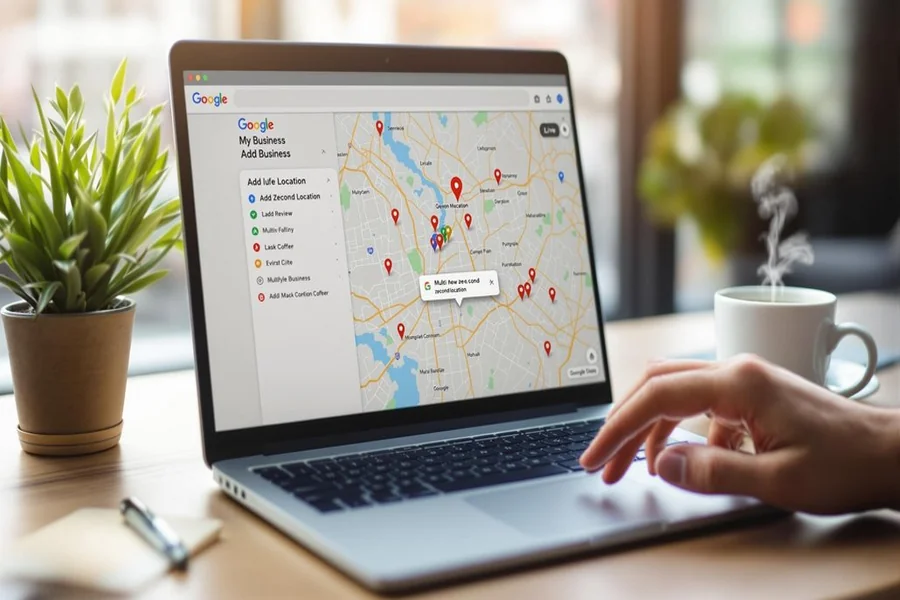
How to add a second location to Google My Business This is a question many growing business owners ask when expansion becomes a reality. Opening another branch is exciting but if you customers cannot find you online you may miss out on vital traffic and sales. One way of adding your new address correctly is to get both locations in search results and the results on maps.
Business Listings: Google controls business listings using Google Business Profile, previously called Google My Business. When set up correctly, each place has its own listing, reviews, hours, photos and area visibility. This is especially important for businesses such as restaurants, salons, retail stores, clinics and service providers with multiple areas of operation.
Multiple listings make it easy for the customer to locate the nearest branch in no time. It also enhances local SEO since every location should rank in it’s location granular searches. Instead of competing against yourself, properly structured listings will give you a stronger presence on the Internet.
Understanding how to add a second address properly helps avoid issues of duplication, suspension and ranking.
Step-by-Step Instructions For Adding a Second Location
Adding another location is not too difficult, but accuracy is a must. Refer to the following easy steps in order to prevent errors.
First, log in to your Google Business Profile account. Do not create an entirely new account unless you absolutely need to. Keeping it all in one account will keep it all organized.
Secondly, go to your business dashboard and choose the option to add new business. Type in the exact name of your company as it is shown on your first listing. Consistency matters. If the name is slightly different, then it may be treated as a different brand in the eyes of Google.
Third, enter the new physical address carefully. Make sure that the Street number, Suite number and postal code is correct. This location must be a real and physical place, where customers can come or services are offered.
Next you need to select the right category for a business. This should be similar to your main type of business. Keeping categories consistent at all locations does strengthen brand clarity.
After entering contact details like phone number, website, etc., you will be taken to verification. Each location has to be individually verified. Verification methods can be postcard, phone, email or video verification based on eligibility.
Once verified, you can customize the hours for it and upload photos and optimize the new listing just like your original listing.
Verification Process for More than One Location
For every new address needs an individual verification. Even if you’ve checked your first location it your first location is already checked, the second branch need to go through that check process with confirmation.
Google uses verification to ensure that the place actually exists and you have permission to do things with it. This allows protection of the platform from spam and fake listings.
If you have a lot of branches for your business, then maybe Google offers bulk verification for you. Bulk verification is usually available to businesses that have ten or more locations and require submitting additional documentation.
With small businesses that are adding a single additional branch, standard verification is prevalent. Postcard verification can take several days to come back. Video verification might need to demonstrate signage, storefront or business equipment clearly.
Before you start the verification make sure signage and branding is visible at your new location. Missing signage is one of the biggest causes of delays or rejection.
Don’t make changes to important information such as business name or address for verification while verification is in process. Changes during review can start the process all over again.
Efficiently Managing Multiple Locations
However, once both locations are active the management takes the next turn. Stretching IT in different branches is important for customer trust.
You can control a number of locations at a single dashboard under Google Business Profile. Each listing will list separately so that you can make changes to your listing hours and also to your responses to reviews and photos can be individually uploaded.
However, everything does not need to be the same. For instance, the operating hours might be different in different branches. One place may be going to close earlier or provide extra services. Customize each profile based on the services provided in reality there.
Reviews are location specific. A customer review of one branch will not appear on the other listing. Encourage customers to give feedback to the precise location that they visited.
Local content also matters. By simply updating relevant to a particular area, this will improve engagement locally. For example, advertising a neighbourhood event in one branch helps to reach the people in that community.
It is the balance between being always cognizant of consistent branding, yet responsive to local requirements.
Common Mistakes to Avoid
Adding a second location seems like a straightforward process, although many business owners make mistakes that are easy to avoid.
One of the most common mistakes is to create duplicate listings. Instead of updating an existing location by using the existing dashboard, some owners accidentally create a completely separate listing for their business. This can confuse customers and do harm to rankings.
Another mistake is the use of virtual offices or PO boxes. Google normally wants a valid physical address. Listings using shared office spaces without proper signage can be suspended.
Business names that are inconsistent can also cause problems. Even adding some additional keywords to one of the location names may cause some policy violations. Maintain the same brand name across all branches.
Failure to verify in a timely manner is another problem. If verification is not done, the listing will not be displayed to the public
Finally, failure to care for the second listing after setup will decrease exposure. Each location needs continuous management in terms of photo updates and reviews.
Benefits of Correctly Implementation of Second Location
When done right, adding a new branch helps to add strength to your brand’s authority. Each verified location gives you better chances of getting in local searches.
Customers that are searching in or around your new area will see accurate directions as well as contact information and business hours. This enhances convenience, and trust is fostered.
Multiple listings also provide better data insights. You can analyze which location receives more views, more calls and more direction requests etc. This is helpful in guiding marketing strategies and allocation of resources.
Expanding your presence on google helps you increase credibility. A brand that has several verified branches will often appear to be more established and trustworthy.
Most importantly, with a properly managed second location, you are able to serve more customers without confusing your online presence.
Final Thought
How to Add a Second Location to Google My Business is not difficult if you’re clear and organized about this process. The process is that you create a new listing on your current account, fill in correct details and complete verification for the new address.
Attention to detail is very important. Accurate information, visible signage and consistent branding avoid delays and policy issues. Each of these locations should mimic the experience that customers will have in the real world.
As your business grows, your digital presence needs to grow with your business. Properly managing multiple listings will ensure customers will find you easily, trust your brand and select the location that is most convenient for them. Expansion is Not Just About Opening Doors in New Places It is also about being visible where your customers are looking.
FAQs
How do I add a second location to Google My Business?
You can add a second location by signing into your Google Business Profile account, selecting the option to add a new business, entering accurate details, and completing verification for the new address.
Do I need to verify each location separately?
Yes, each business location must be verified individually even if your first listing is already verified.
Can I manage multiple locations from one account?
Yes, Google Business Profile allows you to manage multiple locations from a single dashboard for easier control.
What is bulk verification for multiple locations?
Bulk verification is an option for businesses with ten or more locations and requires submitting additional documentation to Google.
Will reviews transfer from my first location to the second?
No, reviews are specific to each location and will not transfer between listings.
Can I use a virtual office as my second location?
Google generally requires a real physical address with visible signage, and virtual offices may lead to suspension if they do not meet guidelines.
Why is my second location not showing on Google?
Your listing may not appear if verification is incomplete, information is inaccurate, or there is a policy violation that needs to be resolved.